

- Telescopes
- Overview:
Telescopes - Achromatic Refractor
- Apochromatic Refractor
- Overview:
Apochromatic Refractor - ED Refractor - less color aberration than an achromatic
- SD APO - color free 2-element APO objective
- EDT APO - 3 element ED objective
- High End APO with 3-element APO objective - no color aberation
- Flatfield APO with flat field for Astrophotography
- All Apos and EDs from all manufacturers - large overview
- TS APO and ED from Japan with high quality optics
- Overview:
- Newtonian Telescopes
- Dobsonian Telescopes
- RC Ritchey Chretien Telescopes
- Casssegrain Telescopes
- Reflektor Telescopce with Lens Correcture
- Maksutov Cassegrain Telescopes
- GoTo Telescopes
- Smart Telescopes
- Solar Telescopes H-Alpha
- Overview:
- Mounts Tripods Rings Rails Power Supply ...
- Overview:
Mounts Tripods Rings Rails Power Supply ... - Mounts Equatorial with GoTo
- Mounts Equatorial without GoTo
- Mounts Azimutal with GoTo
- Mounts Azimutal without GoTo
- Mounts GoTo - Harmonic Drive
- Travel mounts for astro imaging
- Tripods Piers Polar Wedges
- Mount Control & Electronics
- Dovetail Clamps, Plates and Mount Adapters
- Tube Rings
- Power Supply
- Counterweights Balance Weights
- Mount Accessories - Other
- Overview:
- Telescope Accessories
- Overview:
Telescope Accessories - Eyepieces
- Barlows & Reducer Lenses
- Diagonal Mirrors and Prisms
- Binocular Viewers
- Finder Scopes
- Telescope Collimation and Test
- Cleaning Tools
- Transport and Storage
- Dust protection for Telescopes & Accessories
- Stray Light Protection
- Dewcaps and Heater
- Focusers, Adapters, Motorfocus
- Telescope DIY & Improvement
- Other telescope accessories
- Replacement Parts
- Overview:
- Filters
- Overview:
Filters - Color Filters and Color Filtersets
- Nebular Filters for Visual Observing
- Neutral-Density and Polfilter
- Photo Narrowband Nebular Filters
- Photo Broadband Filters
- Photo Planetary Filters
- Photo R-G-B and IR Cut Filters
- Photo - Filtersets
- Photometric Filters
- Clip Filter for DSLR Cameras
- Filter Wheels and Filterslider
- Solar Filters for white light
- Solarfilter for H-Alpha and Calcium
- Overview:
- Adaptors
- Overview:
Adaptors - Adapter 1,25" and 24,5mm
- Adapter 2"
- Adapter T2 - M42x0.75
- Adapter M48x0,75
- Adapter M54
- Adapter SC
- Adapter M63
- Adapter M68
- Adapter to other Threads
- Adapter Extensions
- Adapter camera bayonet
- Adapter Objective Filterthread
- Adapter Quick Changing , Rotation
- Adapter Eyepiece Projection
- Adapters Tilting
- Overview:
- Astrophotography and Photography
- Overview:
Astrophotography and Photography - Cooled Cameras
- Cameras without Cooling
- Deep-Sky Cameras uncooled
- Set-Offers Camera, Filter, Wheels
- Acessories for Cameras
- Travel mounts for astro imaging
- Imaging Correctors for Telescopes
- Autoguiding Cameras & Sets
- Everything for Guiding
- Focusing aids - Bahtinov mascs
- Flat Field foils and boxes
- Lenses for Cameras
- Piggyback Camera Holder
- Camera Bags, Photocases & more
- Digital Camera and Smartphone Adapter
- Other photo accessories
- Overview:
- Binoculars, Spotting Scopes, Microscopes, Range Finders
- Overview:
Binoculars, Spotting Scopes, Microscopes, Range Finders - Spotting Scopes and Acessories
- Roof Prism Binoculars
- Binoculars with Porro prisms
- Binoculars from 100mm Aperture
- Binoculars with 1,25 inch eyepieces
- TSMX APO Binoculars
- Binoculars for Astronomy
- Binoculars Hiking Bird watching
- Monoculars - Opera Binoculars
- Accessories for Binoculars
- Range Finders
- Microscopy
- Bags for Phototripods & Binoculars
- Overview:
- Phototripods and Binomounts
- Books, Software
- Overview:
Books, Software - Books for Astronomy Beginners
- Star Charts and Planispheres
- Books about our Solar System
- Observing Tips for Amateurs
- Popular Astronomy Literature
- Teaching material
- Astrophotography books
- Telescopes, Observatories, Construction
- Calendars Yearbooks
- Software, Star Charts
- Books for Microscopers
- Books Nature and Animals
- Nature Photography TimeLapse
- Overview:
- Night Vision, Magnifiers, Weather, Domes & more
- Beginner Astronomy and Gift Ideas
- Second Hand & Special Offers
- New products

manufacturers


Manufacturer: -TS Zubehör
Product number: TSCOLCAM
EUR279.00new
EUR 279,00
incl. 19 % VAT (DE)
The VAT indicated refers to that applicable in Germany. After logging in, the VAT amount is adjusted to the applicable VAT of the stored delivery country. Therefore, the final price may vary accordingly.
excl. 7.95 € shipping costs (DE)
more details to the shipping costs ...Please log in to calculate shipping costs to your country.

There are no reviews for this product


- Details..
- Technical data..
- In the box..
- Download..
- Manufacturer infos..
- Safety informations..
TS-Optics Elektronic Collimator with Rotator and high-quality Software
The easyCol collimation camera is a precise tool for convenient and reproducible collimation of optical systems. It combines a high-resolution camera with an integrated collimator, thereby enabling direct visual monitoring of the optical alignment on a computer.The robust housing is made of black anodised aluminium and combines high mechanical stability with high-quality, professional optics. Inside, a high-performance camera module with a Sony IMX179 sensor and 8-megapixel resolution provides a detailed view of the structures relevant to collimation.
When used in conjunction with the new easyCol software, a wide range of functions are available that significantly simplify the collimation process. These include, amongst other things, customisable measurement circles and crosshairs, focus presets, as well as convenient display and alignment of the camera image. easyCol Pro is available for Windows and Apple Silicon Macs.
With easyCol Pro and the rotator supplied, the actual position of the camera sensor can also be precisely determined and calibrated. This allows the centre of the sensor to be accurately determined, regardless of mechanical manufacturing tolerances, and used for collimation.
In addition to the easyCol collimation camera, the scope of delivery includes a matt black anodised aluminium extension tube with M48×0.75 threads on both ends. When the corrector is mounted, this allows for a typical working distance of 55 mm.
With easyCol, collimation is not only more precise, but above all simpler, faster and more reproducible - ensuring optimum imaging performance of the entire optical system.
Instructions
The supplier provides two sets of instructions in English:
1. Collimation using the predecessor to the easyCol collimation camera: Link to the detailed instructions
2. Camera-based collimation of telescopes using the easyCol software: Link to the software manual
The free version of the software can be downloaded via the link in the download section.
Product Video
Daniel Nimmervoll has posted a video on his YouTube channel that introduces the predecessor the device and how to use it (English audiotrack via autotranslation available):
| Camera module size: | 38 mm x 38 mm |
| Sensor: | 1/3.2" CMOS sensor Sony IMX179 |
| Pixel arrangement: | 3264 x 2448 (approx. 8 megapixels) |
| Pixel size: | 1.4 µm |
| Sensor size: | 6.18 mm x 5.85 mm, diagonal 5.7 mm |
| ADC: | 10-bit ADC |
| Computer connection: | Cable with USB plug |
| Driver: | UVC (USB Video Class) |
| Power supply: | via USB connection |
| Operating voltage: | 5 V DC |
| Operating current: | 160 to 260 mA |
| Connection: | M48x0.75 female thread |
| Housing material: | black anodized aluminum |
| Housing dimensions: | 52 mm x 52 mm x 25 mm |
| Cover dimensions: | 57 mm x 57 mm |
- Camera module
- Rotator cover for sensor calibration
- Extension tube made of matt black anodized aluminum, M48x0.75 threads on both ends
- easyCol Pro software licence (winX64 / macOS for Apple Silicon)
- Rotator cover for sensor calibration
- Extension tube made of matt black anodized aluminum, M48x0.75 threads on both ends
- easyCol Pro software licence (winX64 / macOS for Apple Silicon)
Download
The manufacturer provides the latest easyCol software on its website:Download link, please click here to download the file
| Manufacturer / Importeur: | Teleskop-Service Ransburg GmbH |
| Street: | Von-Myra-Str. 8 |
| ZIP / City: | 85599 Parsdorf |
| Country: | Germany |
| Telefon number: | +49 89 99228750 |
| Email: | info@teleskop-service.de |
| Website: | www.teleskop-express.de |
Safety informations: PDF Download
Recommended accessories
Adaptors
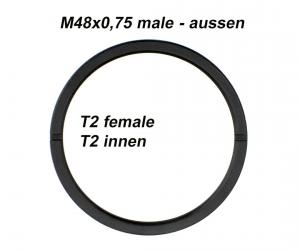

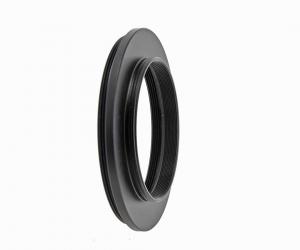
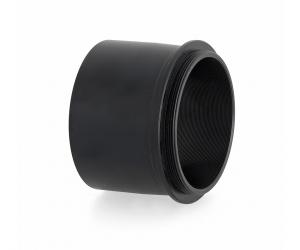
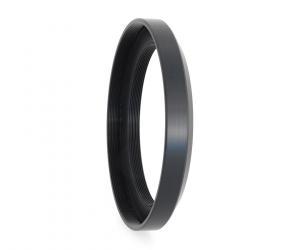
TS-Optics Adapter from M63x1 to M48x0.75 with 2" Filter Thread at the Telescope Side
EUR 44,90RRP EUR 59,00you save 23.9% (EUR 14,10)
Cleaning & Collimating
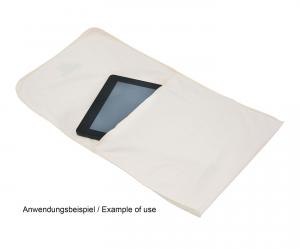
TS-Optics Optical Soft Microfibre Cleaning Cloth and Bag, 26x24 cm
EUR 7,50RRP EUR 11,95you save 37.2% (EUR 4,45)

Reviews
Written by Gerhard Geipel
on 2026-09-08
"Tolles Produkt. Für Newton Teleskope hervorragend geeignet. DIe zugehörige Software ist intuitiv und man kann für jeden Komakorrektor eine eigene Datei anlegen."
